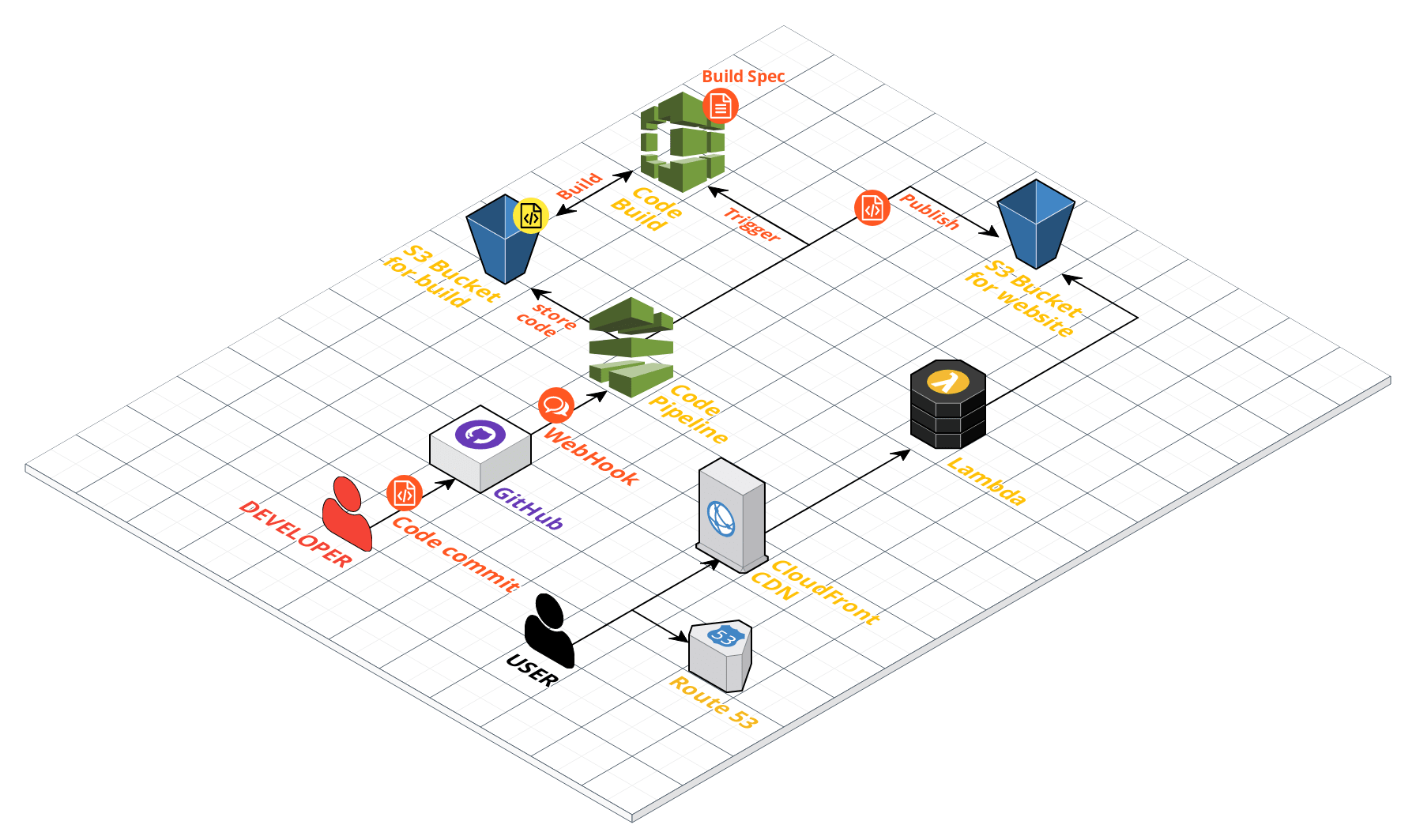
A Blog CI/CD Pipeline with AWS and GitHub — Part 3: CloudFront and Lambda
Connect a custom domain to CloudFront and S3, and use Lambda@Edge to support nested directory index pages.
In this article
Once CodePipeline and CodeBuild are connected, a new commit can trigger a build and place the generated files in S3. There are still several pieces needed for a comfortable browsing experience: a domain name, HTTPS, delivery through CloudFront, and working directory-style links.
This part explains the original S3 and CloudFront setup, including the small Lambda@Edge function used to rewrite requests for nested index pages.
What happens without URL rewriting?
With the chosen S3 origin arrangement, a request for an actual object such as archives/index.html worked, while a request for archives/ did not resolve to it automatically. The example paths looked like this:
Works:
  https://example-blog-public.s3-ap-northeast-1.amazonaws.com/index.html
  https://example-blog-public.s3-ap-northeast-1.amazonaws.com/archives/index.html

Needs the directory-index handling described below:
  https://example-blog-public.s3-ap-northeast-1.amazonaws.com/archives/
These are illustrative object-endpoint URLs, not links to a running site. S3 website endpoints and S3 object origins behave differently; the issue here is the nested directory behavior of the original CloudFront/object-origin combination.
The desired public links were readable paths such as /archives/ and /tags/. Lambda@Edge supplied the missing index.html suffix for that setup.
Configure S3 static website hosting
Under the bucket properties, enable static website hosting and specify index.html as the index document. In the original public-bucket design, the object-read policy from Part 1 also had to permit access.
The important distinction is the endpoint CloudFront actually uses. Enabling a website setting does not make an object origin behave like a website endpoint.
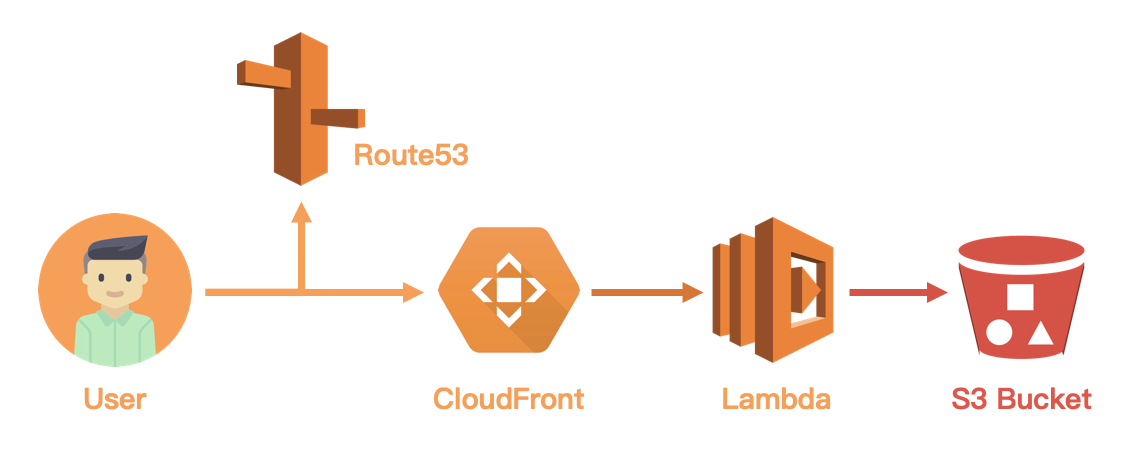
How Route 53, CloudFront, and Lambda fit together
Reader requests https://blog.example.com/archives/
  → DNS points to CloudFront
  → Lambda@Edge changes the origin request URI to /archives/index.html
  → CloudFront retrieves or serves the corresponding S3 object
CloudFront sits between the reader and S3. Depending on cache state and configuration, it may serve an existing cached response instead of fetching the newest object immediately. DNS points the domain to the distribution; it does not redirect the reader to a different visible hostname.
The Lambda function handles the URI. For a request ending in /, it appends index.html. The browser continues to display the directory-style URL because the rewrite occurs inside the delivery path.
The original domain was registered outside Route 53 and its name servers delegated to a Route 53 hosted zone. Registering the domain and hosting its DNS are separate choices; a registrar can remain in place while Route 53 manages the zone.
Configure Route 53 and CloudFront
First, create a hosted zone for the domain in Route 53. If the registrar is elsewhere, configure the domain to use the hosted zone’s name servers.
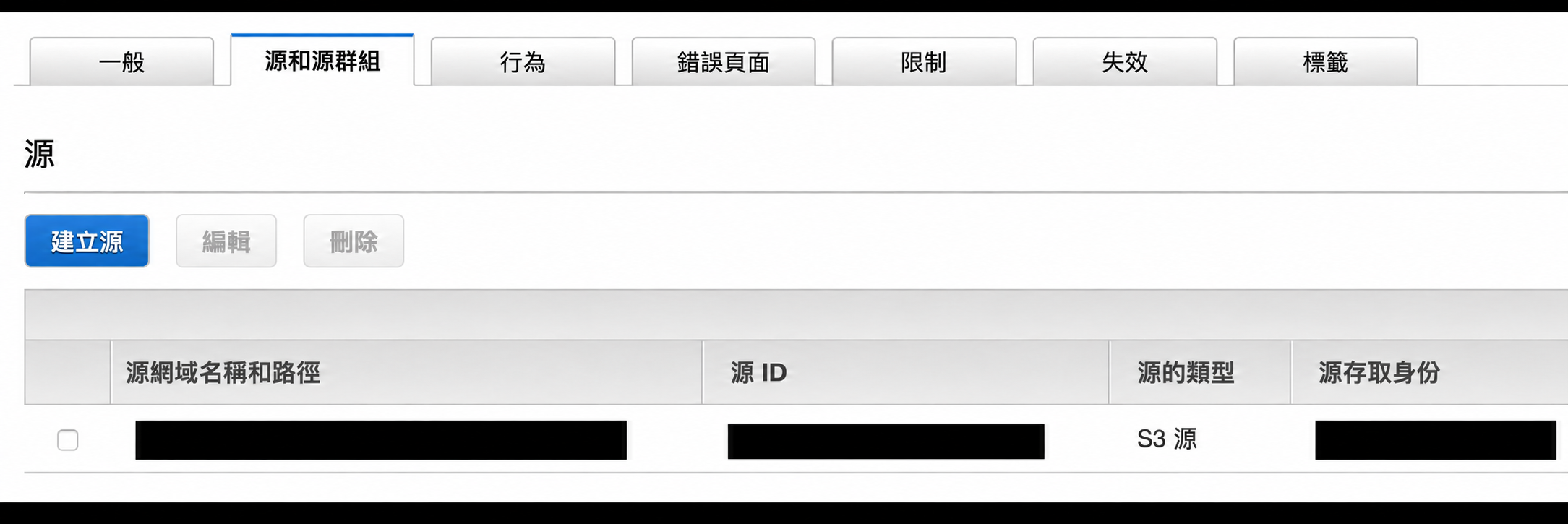
Next, create a CloudFront distribution with the website bucket as its intended origin. The configuration includes the default root object, supported HTTP versions, and logging. The origin itself is the most important setting: it determines where CloudFront fetches the content and which endpoint behavior applies.
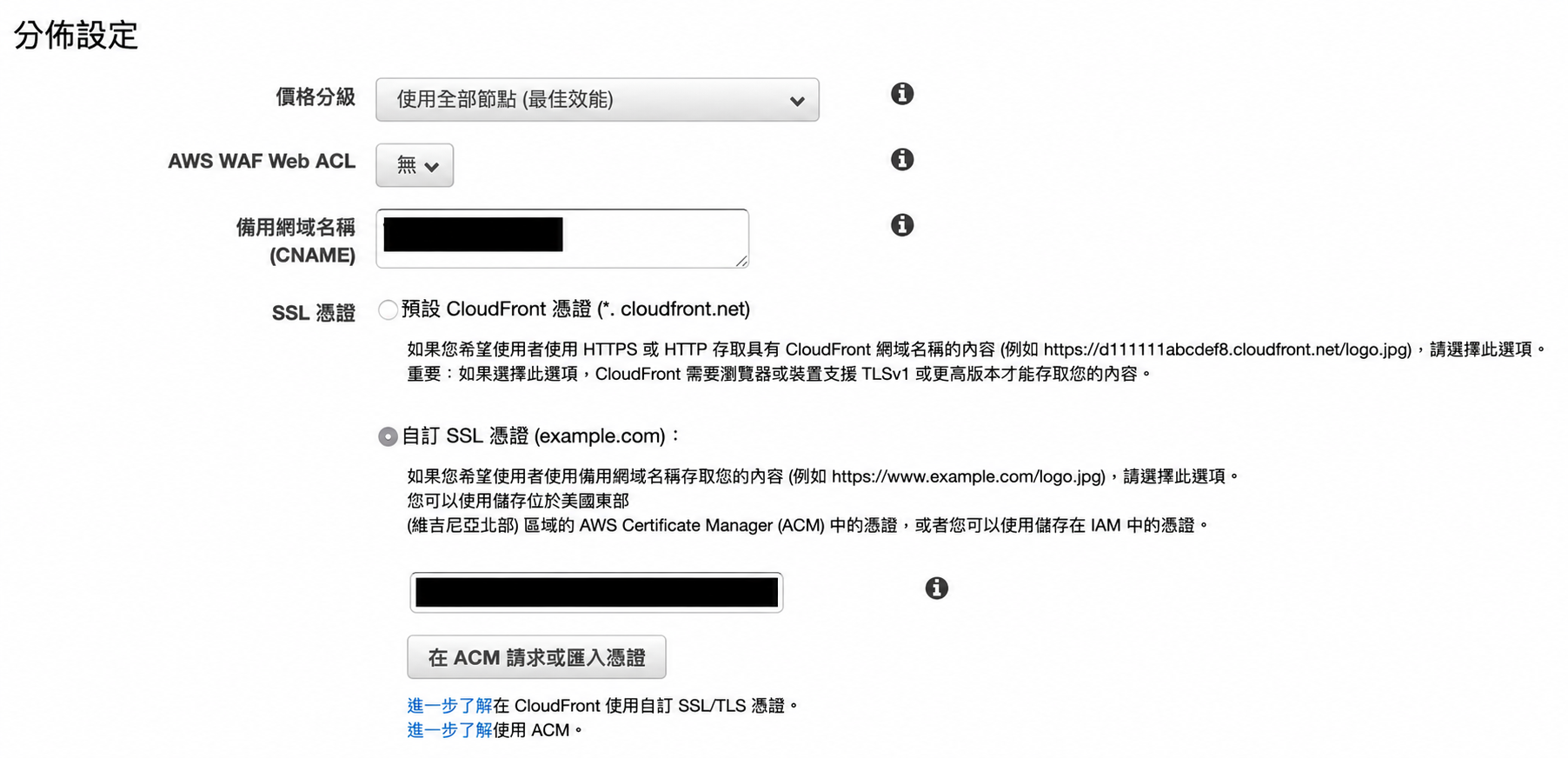
For HTTPS, use a certificate managed by AWS Certificate Manager. DNS validation requires adding the record supplied by ACM so ownership of the domain can be confirmed. Complete certificate validation and attach the certificate to the distribution as required by the CloudFront configuration.
Finally, create an alias record in Route 53 pointing blog.example.com to the distribution. The public domain, CDN, and origin are then connected.
Configure Lambda@Edge
The remaining issue is the nested index page. AWS published an example of default directory indexes for an S3-backed CloudFront origin, which supplied the approach used here.
For Lambda@Edge, create the function in US East (N. Virginia), us-east-1, then associate the appropriate published function version with the distribution’s relevant event. The function’s creation region does not limit CloudFront delivery to that region.
The directory-index function
The original implementation used Node.js:
// Code Credit: https://aws.amazon.com/tw/blogs/compute/implementing-default-directory-indexes-in-amazon-s3-backed-amazon-cloudfront-origins-using-lambdaedge/
'use strict';
exports.handler = (event, context, callback) => {
    var request = event.Records[0].cf.request;
    var olduri = request.uri;
    var newuri = olduri.replace(/\/$/, '\/index.html');
    request.uri = newuri;
    return callback(null, request);
};
The expression changes a trailing / into /index.html. A request for /archives/ becomes /archives/index.html; a request for /archives is unchanged.
That last distinction matters. The function does not know whether an arbitrary extensionless path should be treated as a directory. The follow-up article adjusts the theme’s known directory links and adds an error page rather than guessing at every incoming path.
Lambda@Edge removed the need to run a dedicated web server just to perform this rewrite. The original blog’s traffic was small, but costs still depend on the service configuration and usage; the old article’s free-tier expectation should not be treated as a current cost guarantee.
The next part covers Hexo link fixes, error pages, and private configuration.
Thanks for reading. Have a question or a different perspective?
Follow via RSS →