A Blog CI/CD Pipeline with AWS and GitHub — Theme Fixes and Private Configuration
Finish a static-site pipeline with custom error pages, corrected Hexo links, and separately managed private configuration.
In this article
The pipeline now builds and deploys the blog, but a successful deployment is not the same as a working website. Hexo and its theme support many hosting environments, and some defaults did not match the S3 and CloudFront arrangement in this series.
Before publishing, I checked the site’s buttons and links individually. This follow-up records the remaining problems: confusing error responses, directory links without trailing slashes, and configuration that should not live in a public repository.
Problems that remain after deployment
Depending on the bucket’s access controls, readers can encounter:
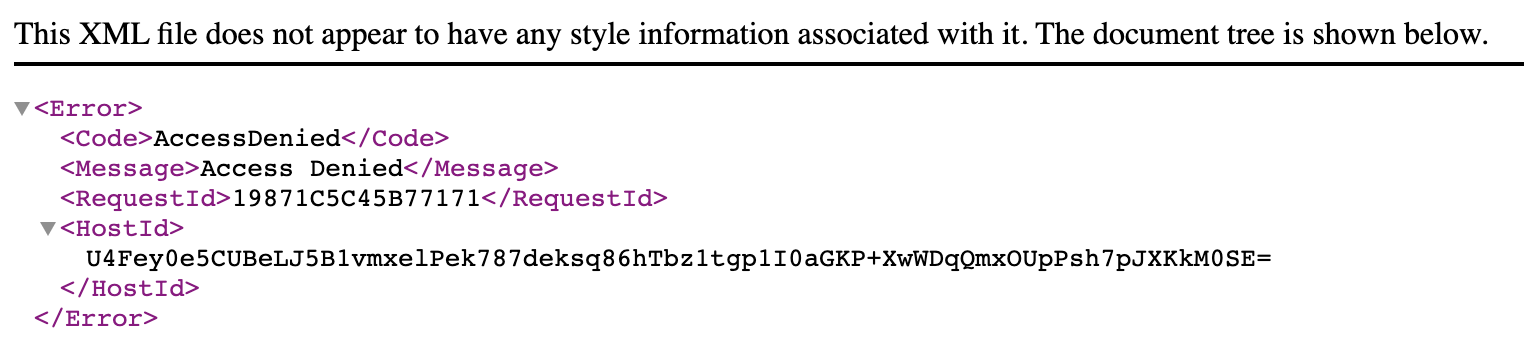
- A 403 response for a missing object. Without public bucket-list permission, S3 may return Access Denied instead of revealing whether a particular object exists. Do not grant anonymous listing simply to change the error message.
- Links such as
/archivesfailing. The Lambda function in Part 3 only rewrites paths ending in/. - Private configuration appearing in a public source repository. Site settings may include identifiers or credentials that were never intended for publication.
The first two are browsing problems. A branded error page and corrected links provide a more understandable experience than an unexplained AWS error response.
The third requires distinguishing public identifiers, such as an analytics tracking ID, from actual secrets such as access tokens. Keeping a configuration file private does not make values embedded in the generated public site secret.
Add a custom error page
In Hexo, create a missing directory under source/ and put an index.md file inside it. Generating the site produces missing/index.html, which the delivery setup can use as an error document.
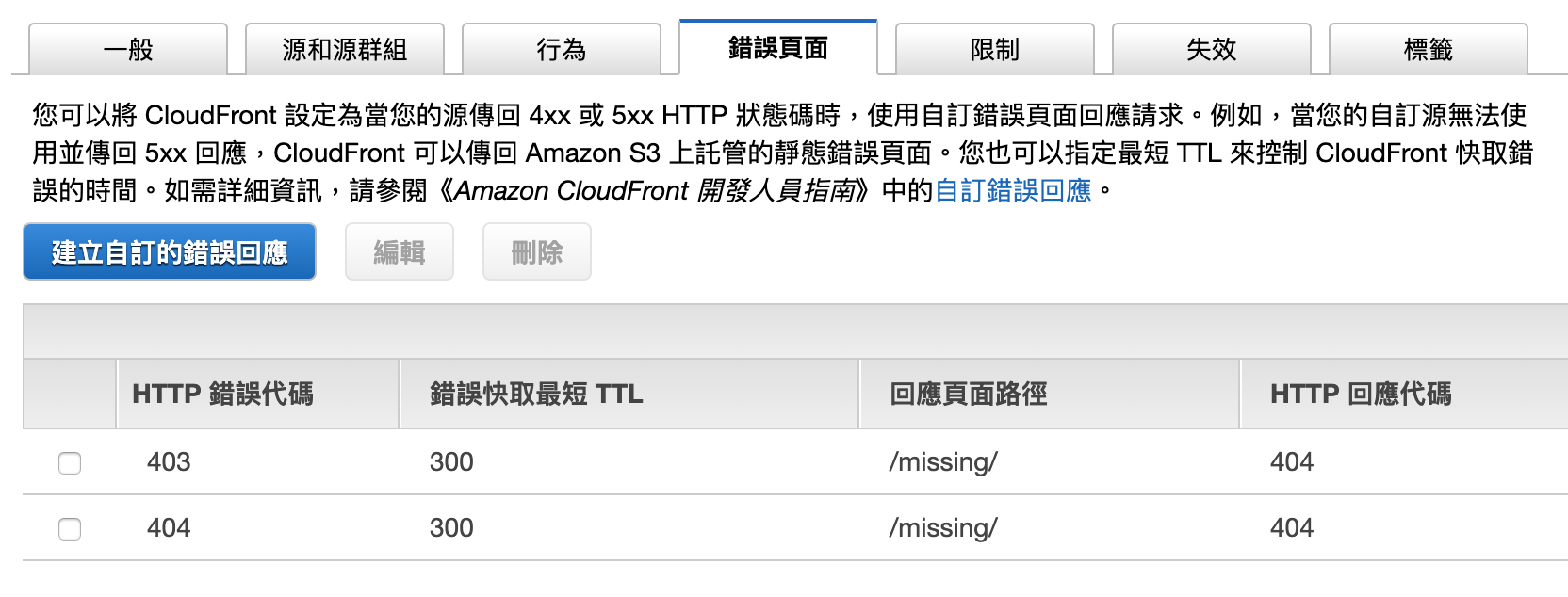
Open the distribution’s Error pages configuration in CloudFront. Add the relevant error codes and point them to the custom page. The settings support common 4xx and 5xx responses.
CloudFront can also map an origin error to another response status. The original article mentioned returning a custom page with 200 OK. For an ordinary missing blog page, retain an appropriate error status rather than making a missing resource appear successful to readers and search engines.

Fix directory links in the Hexo theme
There is nothing universally wrong with an extensionless path. It simply did not match this particular rewrite function, which expected a trailing slash.
The theme used was Icarus. Two areas needed changes:
- Navigation links such as
/archives. - Profile counters linking to the article archive, categories, and tags.
In layout/common/navbar.jsx, the relevant change was:
<div class="navbar-menu">
    {Object.keys(menu).length ? <div class="navbar-start">
        {Object.keys(menu).map(name => {
            const item = menu[name];
            return <a class={classname({ 'navbar-item': true, 'is-active': item.active })} href={item.url === "/" ? item.url : item.url.concat("/")}>{name}</a>;
        })}
 </div> : null}
This is the historical fragment illustrating the changed expression, rather than a complete component. It appends / to non-root menu links. The root must remain /: blindly appending a slash would produce //, which can be interpreted as a network-path reference instead of the intended home link.
In layout/widget/profile.jsx, the counters were configured with directory-style URLs:
counter: {
    post: {
        count: postCount,
        title: _p('common.post', postCount),
        url: url_for('/archives/')
    },
    category: {
        count: categoryCount,
        title: _p('common.category', categoryCount),
        url: url_for('/categories/')
    },
    tag: {
        count: tagCount,
        title: _p('common.tag', tagCount),
        url: url_for('/tags/')
    }
},
These changes align known internal links with the request rewrite. They do not attempt to infer the meaning of every arbitrary URL a reader might type.
Keep configuration in a private repository
The original pipeline kept the theme and site configuration in a second, private repository. CodeBuild retrieved it during preparation and copied the required files into the build workspace.
The workflow had three parts:
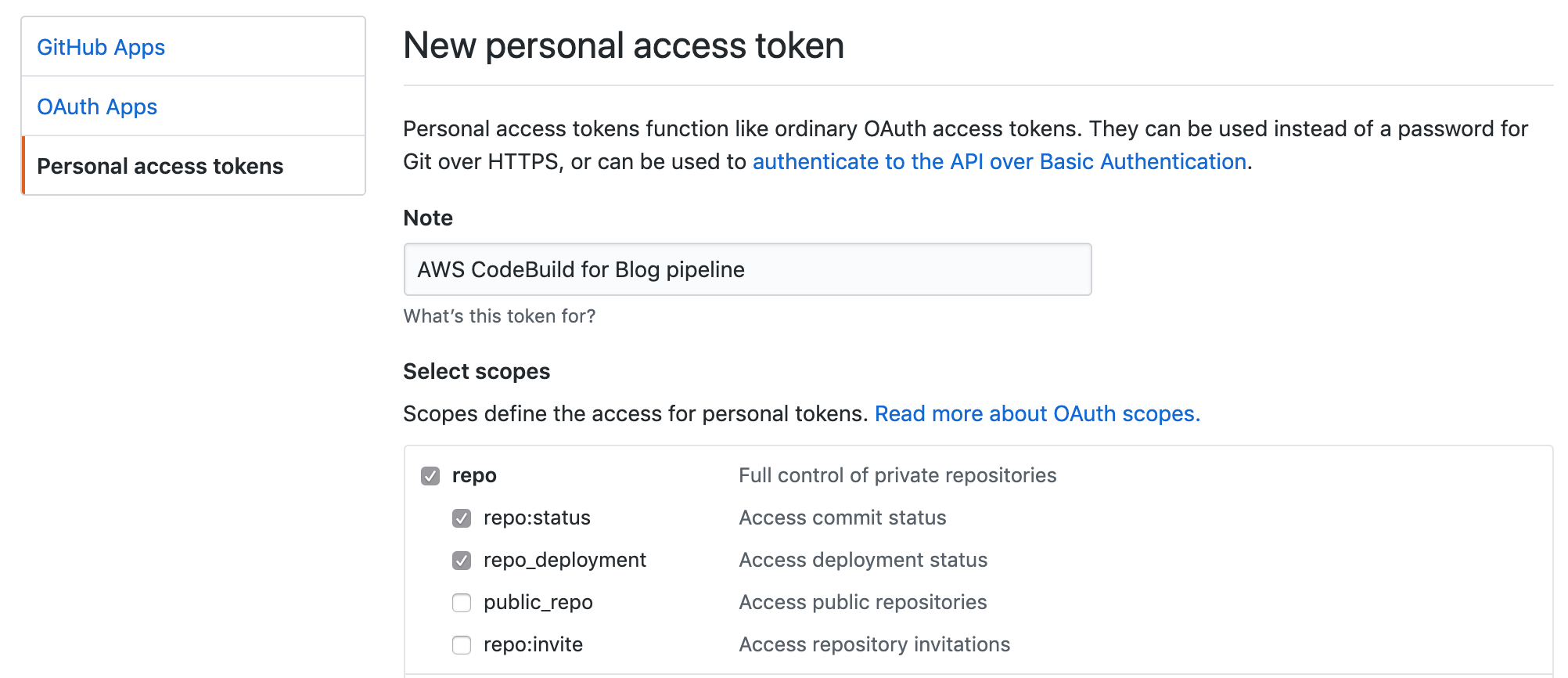
- Create a GitHub access token authorized for the required repository.
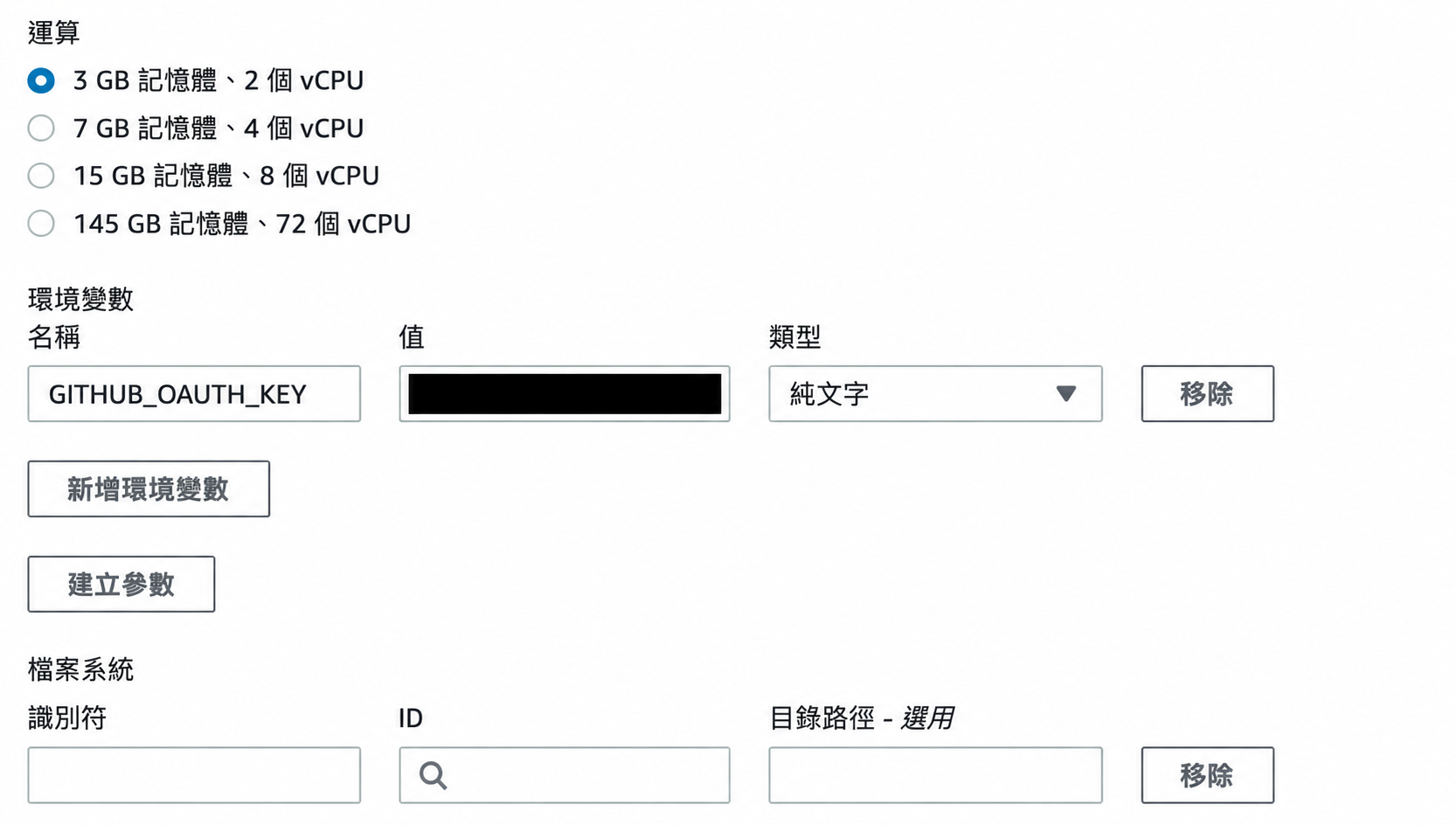
- Supply it to CodeBuild through protected build configuration.
- Retrieve the private repository during
pre_build.
The original implementation used a classic token with repository access. Such a credential can grant broad access and must be treated as a secret. Restrict it to the required resources and capabilities wherever the chosen credential mechanism allows, and do not print it in build logs.
A sanitized outline of the configuration is:
env:
  variables:
    BLOG_CONF_DIR: "my-blog-config"
    BLOG_CONF_REPO: "example-owner/site-config.git"

phases:
  pre_build:
    commands:
      - git clone https://[email protected]/$BLOG_CONF_REPO
The example retains the original mechanics for reference; embedding a token in a clone URL can expose it through logs or saved Git remote configuration. For a maintained pipeline, use the source integration or credential mechanism appropriate to the build service and keep secrets in its supported secret store.
If the configuration is only a single key, a protected environment value or secret reference is simpler than another repository. A complete _config.yml file is a different case: versioning it separately can be convenient.
Another option is a private S3 object loaded by CodeBuild. That can keep the file outside the public repository, although updating and versioning it requires a different workflow from Git.
What the complete pipeline achieved
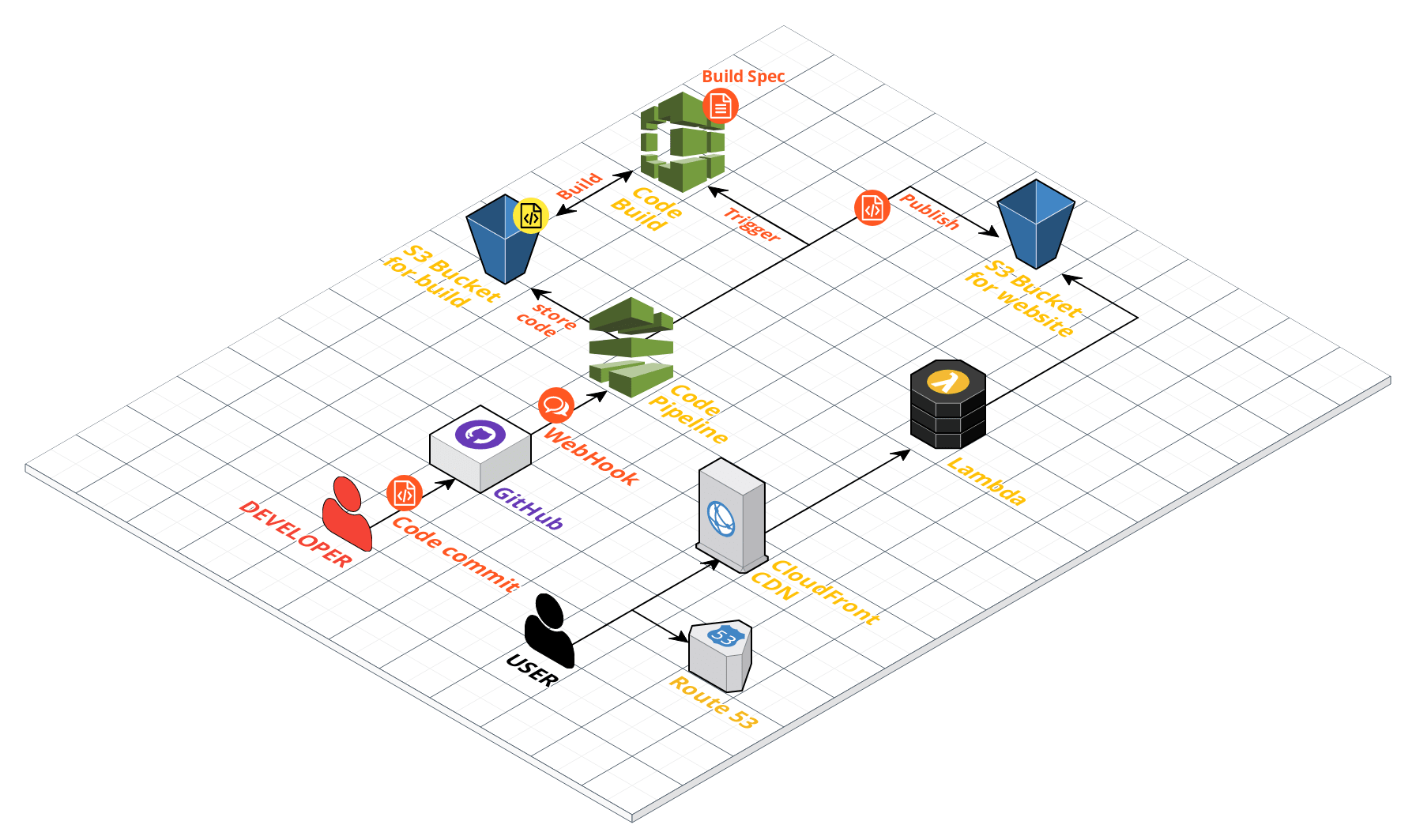
The finished arrangement connected a GitHub update to a static-site build and an S3 deployment, without a permanently managed VPS. CloudFront, DNS, and certificates completed the public delivery path.
At the time of the original article, my rough estimate was about US$2 per month, including an assumed US$1 active-pipeline charge, compared with a small VPS estimated at US$5–10 per month. Those were historical estimates, not current prices or a promise about another site’s bill.
The operational benefit was avoiding routine administration of a web server, TLS configuration, and a separate CDN host. There were still policies, deployment settings, and links to maintain — which is why checking the actual reader experience mattered after the build succeeded.
Thanks for reading. Have a question or a different perspective?
Follow via RSS →